> ## Documentation Index
> Fetch the complete documentation index at: https://docs.turbostack.io/llms.txt
> Use this file to discover all available pages before exploring further.
# Get started
## Welcome to TurboStack
Here's a quick setup of the template. Do the following steps to get your app up and running.
TurboStack uses the latest LTS Version of Node: v20.17.0. Check your version running `node -v` in your terminal
## Make it yours
1. First of all, this template use `pnpm` as a package manager. Install it using the following command:
```bash theme={null}
npm install -g pnpm@latest
```
2. Rename `.env.example` to `.env.local` from `apps/web`
```bash theme={null}
mv .env.example .env.local
```
3. In your terminal, run the following command:
```bash theme={null}
git clone git@github.com:turbostackinc/turbostack.git {{YOUR_APP}} &&
cd {{YOUR_APP}} &&
pnpm install &&
git remote remove origin &&
pnpm run build &&
pnpm run dev
```
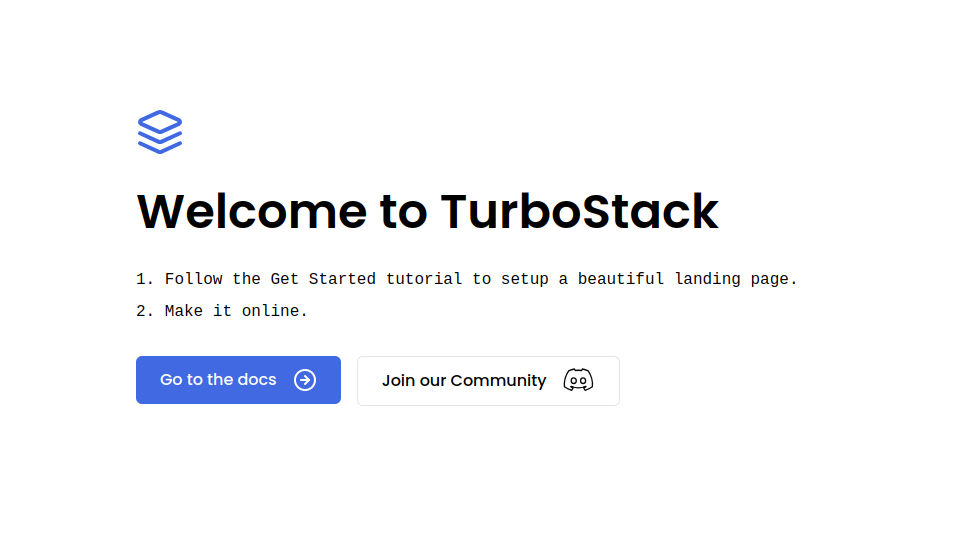
4. Open `http://localhost:3000` to see your site. It'll open a page like this
 ## Project Structure
This boilerplate uses [Turborepo](https://turbo.build/repo) to manage a Monorepo structure that have two main folders:
**/apps** → This is where you will put your applications that will be online later. \
**/packages** → This is where you will put all the shared packages between your applications.
### Available Applications
**/apps/docs** → A base documentation application, like this one, based on [Mintlify](https://mintlify.com?ref=turbostack.io). \
**/apps/web** → Your base Nextjs application.
### Available Packages
**/packages/emails** → A list of [react.email](https://react.email) templates to use it in your applications. \
**/packages/eslint-config** → A base ESLint config file to share between your applications. \
**/packages/tailwind-config** → A base TailwindCSS config file to share between your applications. \
**/packages/typescript-config** → A base `tsconfig.json` file to share between your applications. \
**/packages/ui** → A list of [shadcn](https://ui.shadcn.com) components to use in your applications. \
**/packages/utils** → Shared `constants` and `functions` to use in your applications.
***
With all things done, you can now go ahead and do one of the following tutorials:
Set up your landing page and make it online.
Configure your `app` subdomain for development.
## Project Structure
This boilerplate uses [Turborepo](https://turbo.build/repo) to manage a Monorepo structure that have two main folders:
**/apps** → This is where you will put your applications that will be online later. \
**/packages** → This is where you will put all the shared packages between your applications.
### Available Applications
**/apps/docs** → A base documentation application, like this one, based on [Mintlify](https://mintlify.com?ref=turbostack.io). \
**/apps/web** → Your base Nextjs application.
### Available Packages
**/packages/emails** → A list of [react.email](https://react.email) templates to use it in your applications. \
**/packages/eslint-config** → A base ESLint config file to share between your applications. \
**/packages/tailwind-config** → A base TailwindCSS config file to share between your applications. \
**/packages/typescript-config** → A base `tsconfig.json` file to share between your applications. \
**/packages/ui** → A list of [shadcn](https://ui.shadcn.com) components to use in your applications. \
**/packages/utils** → Shared `constants` and `functions` to use in your applications.
***
With all things done, you can now go ahead and do one of the following tutorials:
Set up your landing page and make it online.
Configure your `app` subdomain for development.